.png?imageMogr2/format/webp)





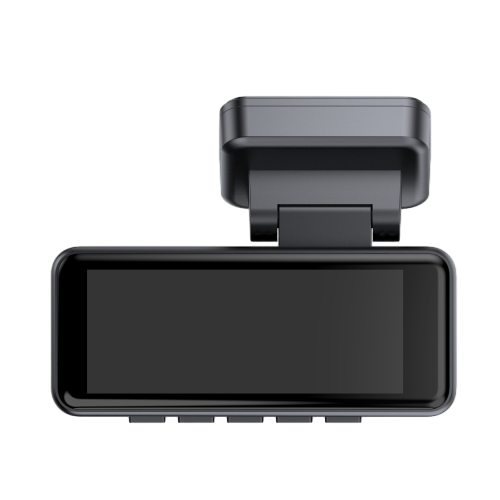
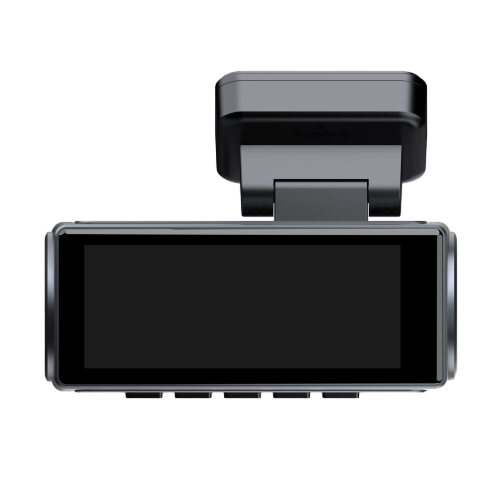

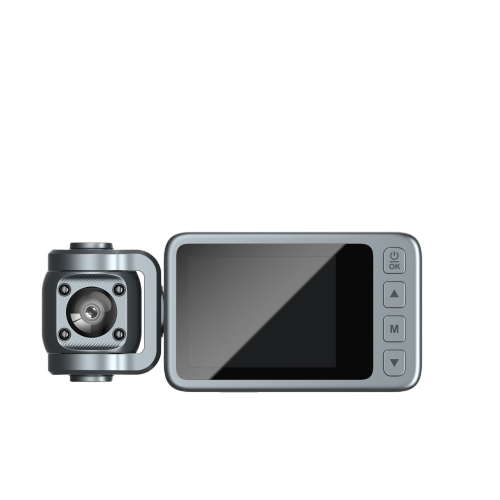
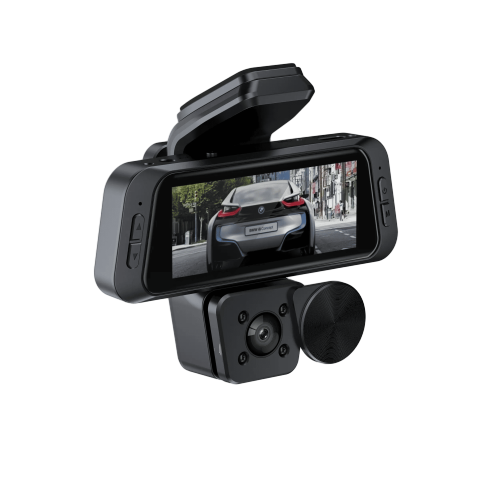

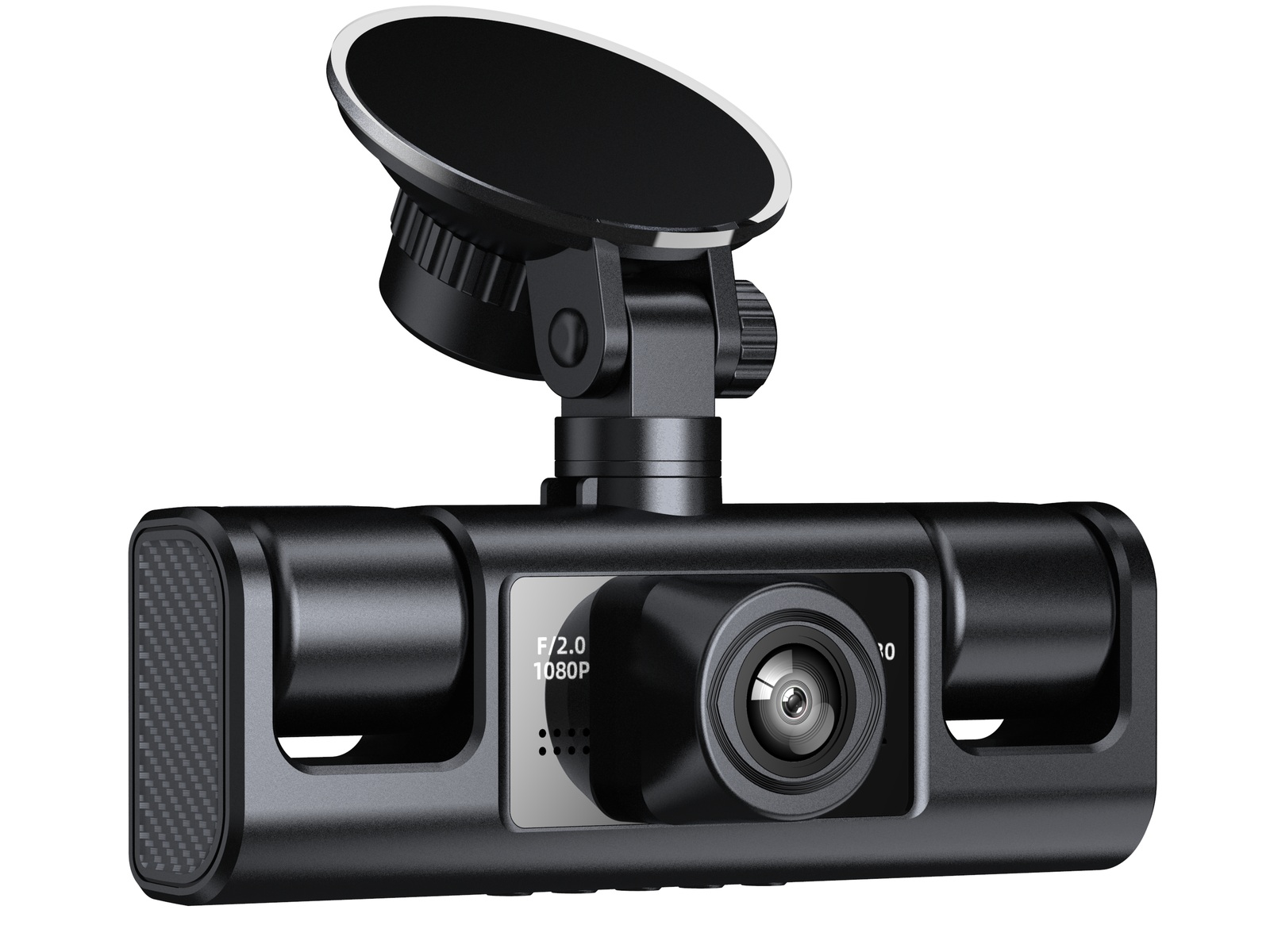
The driver who asks "how many hours on a 64GB card" is usually asking something else. They have been in, or heard about, a situation where footage mattered and footage was gone. The card was full, the camera did what it was told, and the oldest files were overwritten. So the real question is not a capacity question at all. It is a question about how long evidence survives before it is replaced.
That question has an answer, and the answer is arithmetic rather than opinion. This article works the arithmetic in full: what 64GB actually delivers after the units and the file system have taken their share, how to measure the data rate of your own camera instead of trusting a brochure, what that produces across one to five channels, and where the window becomes too short to be useful. Along the way there are two places where intuition fails badly, and both of them cost money when a buyer gets them wrong.
One boundary applies to everything below. The Yuaoheng dashcam range is documented with 16GB, 32GB and 64GB card options, and the numbers here are built on the largest of those. A card larger than the documented maximum sits outside what the specification supports, so a bigger card is not a route to a longer window until the factory confirms it for the specific model. Every calculation in this article assumes the 64GB ceiling is real.
The Number You Need Is a Window, Not a Capacity
A loop-recording camera never runs out of space. It runs out of history. When the card is full, the oldest segment is deleted and recording continues in the same place, which means the card is always full and always holds exactly one window of the past. The only number that matters for evidence is the length of that window, because it is the maximum time you have between an event happening and somebody deciding to look for it.
This reframing changes what you buy. A buyer who thinks in capacity compares 32GB against 64GB and picks the larger card. A buyer who thinks in windows asks how many hours they need, then works backwards to find the setting that produces it. In many cases the honest answer is that no card configuration of a single camera will produce the window they need, and the fix lies in channel count, resolution, or how footage is exported, not in the card at all.
The window is also shorter than most people assume, and the reason is worth stating plainly before the tables: a hard capacity ceiling combined with more than one channel compresses the window far faster than buyers expect. A four-channel system on a 64GB card is not an eight-hour system with room to spare. It is often a three-to-five hour system, and it will have overwritten this morning's commute by the time the driver finishes the afternoon shift.
What 64GB Really Holds
A 64GB card does not give you 64 gigabytes of video. Three deductions happen before the first frame is written, and leaving any of them out is why two people can calculate the same card and disagree by ten percent.
Deduction one: the card is sold in decimal, the computer counts in binary. Memory card capacity follows the SI definition, where 64GB means 64,000,000,000 bytes. Operating systems and the camera's own display usually report in binary units, where one gigabyte is 1,073,741,824 bytes. Dividing one by the other gives 59.6, which is why a "64GB" card shows up as roughly 59.6GB on a screen. Nothing is missing. The two figures are simply counting different things.
Deduction two: the file system takes a slice. Directory structures, allocation tables and the cluster size used by the card's format all consume space that can never hold video. The exact amount depends on how the card is formatted, but a percent or two is the normal range on a card holding a few thousand small files.
Deduction three: protected files stop being free space. This one is covered later, because it grows over time and it is the deduction most often ignored.
Every number in the rest of this article uses 59.0 GiB as the working capacity, which is the 59.6 figure with one percent removed for the file system. That is a deliberately conservative choice. Being wrong in that direction costs a few minutes of window; being wrong in the optimistic direction costs footage.
The Formula, and How to Measure the Input
Only three quantities matter: usable capacity, total data rate, and nothing else. Frame rate, resolution, codec and scene complexity all reach the answer through the second one, which is why the second one has to be measured rather than assumed.
COVERAGE WINDOW
hours = (usable GiB × 8 × 1,073,741,824) ÷ (total Mbps × 1,000,000) ÷ 3,600
The conversion constants look fussy but each one is doing real work: eight bits to a byte, the binary gigabyte, a million bits to a megabit, and thirty-six hundred seconds to the hour. Total Mbps means the sum across all channels recording at that moment, not the figure for one camera. That is the term buyers get wrong, and Section 05 is about why.
To measure the input, you do not need a specification sheet. You need one recorded file, its duration, and its size. Open the file properties, note the length in seconds and the size in megabytes, then divide:
MEASURED DATA RATE
Mbps ≈ (file size in MB × 8.39) ÷ (duration in seconds)
The constant 8.39 is eight bits multiplied by 1,048,576 bytes per megabyte and divided by one million, which folds the whole unit conversion into a single number. A 250MB file that covers three minutes works out to 11.7 Mbps. A 100MB file covering one minute works out to 14.0 Mbps. Both of those are unremarkable figures for a 1080p front channel, and they are already far enough apart that the coverage window differs by twenty percent between them.
Measure more than one file. Consumer cameras commonly run variable bitrate, allocating more data to busy scenes and less to a parked car against a blank wall. Take three files from different parts of a drive, average them, and use the highest one when you want a worst-case window. A single quiet clip will flatter the card.
This measurement also settles arguments with suppliers. Instead of asking what the bitrate is and receiving a marketing range, you can state the figure you measured from a sample unit and ask whether it matches what the production build will do. That is a far more useful conversation, and it belongs in the specification rather than in a footnote.
How Many Hours per 64GB Card
The table below applies the formula across the data rates this class of camera actually produces, with every channel assumed to run at the same rate so that the effect of adding channels is visible on its own. Read down a column to see what one more megabit per channel costs. Read across a row to see what one more camera costs.
| PER CHANNEL | 1 CH | 2 CH | 3 CH | 4 CH | 5 CH |
|---|---|---|---|---|---|
| 4 Mbps | 35.2 h | 17.6 h | 11.7 h | 8.8 h | 7.0 h |
| 6 Mbps | 23.5 h | 11.7 h | 7.8 h | 5.9 h | 4.7 h |
| 8 Mbps | 17.6 h | 8.8 h | 5.9 h | 4.4 h | 3.5 h |
| 10 Mbps | 14.1 h | 7.0 h | 4.7 h | 3.5 h | 2.8 h |
| 12 Mbps | 11.7 h | 5.9 h | 3.9 h | 2.9 h | 2.3 h |
| 16 Mbps | 8.8 h | 4.4 h | 2.9 h | 2.2 h | 1.8 h |
| 20 Mbps | 7.0 h | 3.5 h | 2.3 h | 1.8 h | 1.4 h |
| 25 Mbps | 5.6 h | 2.8 h | 1.9 h | 1.4 h | 1.1 h |
| 40 Mbps | 3.5 h | 1.8 h | 1.2 h | 0.9 h | 0.7 h |
| 60 Mbps | 2.3 h | 1.2 h | 0.8 h | 0.6 h | 0.5 h |
Coverage window in hours on 59.0 GiB usable, every channel at the same data rate. Where channels differ, sum the actual rates and read the total against the one-channel column.
Two rows carry most of the practical weight. At 8 Mbps per channel, a three-channel system holds 5.9 hours and a four-channel system holds 4.4 hours. A driver working a ten-hour shift with a four-channel setup loses the start of the shift before the shift ends. That is not a card fault and no setting on the camera fixes it while the capacity stays where it is.
The same table is more useful read backwards. If a fleet specifies a retention requirement first and treats the card as something that has to satisfy it, the question becomes what data rate the requirement allows:
| REQUIRED WINDOW | 1 CH | 2 CH | 3 CH | 4 CH | 5 CH |
|---|---|---|---|---|---|
| 8 hours | 17.6 | 8.8 | 5.9 | 4.4 | 3.5 |
| 12 hours | 11.7 | 5.9 | 3.9 | 2.9 | 2.3 |
| 24 hours | 5.9 | 2.9 | 2.0 | 1.5 | 1.2 |
| 48 hours | 2.9 | 1.5 | 1.0 | 0.7 | 0.6 |
Maximum data rate in Mbps allowed per channel to hold the window on 59.0 GiB.
The bottom row is the one that ends discussions. A 48-hour window on a three-channel system permits 1.0 Mbps per channel. No dashcam worth fitting produces usable 1080p at 1 Mbps, so a 48-hour single-card window is not a tuning problem. It is a design decision about where footage goes after it leaves the card, and section 10 deals with what those options actually are.
Channel Count Is Not the Same as Data Rate
Here is the first place intuition fails. Buyers assume four channels cost roughly twice what two channels cost, and they assume two four-channel products with the same channel count cost the same storage. Neither holds, because the data rate is set by the resolution each channel records at, and multi-channel products spread resolution very unevenly across their inputs.
In the Yuaoheng range this is visible directly in the documented resolution strings. The S29S records 1080P on the front channel and 480P on each of the other three. The S23Q records 2K on the front and 1080P on each of the other three. Both are four-channel systems on the same 64GB ceiling, and the second one produces several times the data of the first, because three of its channels are doing far more work.
| MODEL | DOCUMENTED CHANNELS | LENS ANGLES | CARD SUPPORT |
|---|---|---|---|
| S29S | 1080P + 480P × 3 | 130° / 95° / 60° | 16 / 32 / 64GB |
| S23Q | 2K + 1080P × 3 | 110° / 80° / 60° | 16 / 32 / 64GB |
| S2Q | 2K + 720P × 2 | 110° / 80° / 60° | 16 / 32 / 64GB |
| D3-1 | 4K + 2K | 150° / 110° | 16 / 32 / 64GB |
Channel resolution and lens angles as documented in Yuaoheng product specifications. Card support is listed per the same documentation for the whole dashcam range.
The practical consequence is that channel count alone tells you nothing about the window. A five-channel unit whose extra channels run at 480P can produce less data than a two-channel unit with a 4K front camera. Buyers comparing on channel count are comparing the wrong number, and the fault is not theirs: brochures list channel counts prominently and data rates almost never.
This is also why the card question cannot be answered for a product family as a whole. It has to be answered per model, from the resolution string on that model's specification, and then confirmed against a measured file. The configuration trade between coverage and retention is worked through in our comparison of dual-channel and triple-channel configurations, where the same arithmetic runs in the other direction.
Retention Window Against Discovery Time
A window is only useful if it is longer than the delay between an event and somebody asking for the footage. That delay is not a technical figure and it does not appear in any specification, but it decides whether the system works. Some realistic cases:
- Same day, same driver. A near-miss noticed at the wheel and reviewed that evening. Delay of a few hours, so almost any configuration covers it.
- Next morning, fleet office. A complaint phoned in the following day and matched to a vehicle. Delay of 12 to 24 hours, which already exceeds a four-channel window at 8 Mbps.
- After a letter arrives. An insurance claim, a parking notice or a legal letter received days later. Delay of one to four weeks, which no single 64GB card will ever cover.
- After the vehicle returns from a long route. A multi-day run where the driver notices damage at the end. Delay equal to the trip length, and the beginning of the trip is already gone.
Both timelines share the same review request, 24 hours after the event. The four-channel system has already replaced that segment twice over. The single-channel system kept it. Nothing about the card was different; only the amount of data written to it per hour.
The sensible way to use this is to write the discovery delay down as a requirement before selecting hardware. Fleet buyers who do this usually find they need a retention figure stated in days, and once it is stated in days the arithmetic either passes or fails immediately. Working properly, that requirement is a procurement input; handing it to the installer to solve after fitting is how fleets end up with four cameras recording into a five-hour window.
Why Two Identical Cards Give Different Answers
Two people with the same camera and the same card brand can measure different windows, and both can be right. Six variables move the number, and only the first two are usually mentioned in product literature:
| VARIABLE | EFFECT ON WINDOW | WHAT TO DO |
|---|---|---|
| Bitrate setting | Largest single factor | Measure it; treat the menu setting as the control |
| Scene complexity | Can move it 20–40% | Variable bitrate gives more data to busy scenes |
| Frame rate | Broadly proportional | 30 to 60 fps roughly doubles the file |
| Codec | Large, generation-dependent | Confirm which encoder the model uses |
| Parking mode | Can consume most of the card | Check whether it records time-lapse or full rate |
| Locked files | Grows over time | Review and clear them on a schedule |
Direction and rough magnitude of each effect. Exact figures vary by model, firmware build and settings.
Parking mode deserves its own warning. A camera in parking mode can record continuously on motion trigger, and over a weekend parked on a street it may write more data than a week of driving. The window measured during a commute is not the window that applies on a Monday morning. If parking mode is part of the specification, the retention calculation has to be run twice under two different duty cycles, and the shorter answer is the one that matters.
The codec row is worth one more sentence, because it is where product generations separate. Two models labelled identically at 1080p can differ by a wide margin in file size purely because of the encoder behind them. That difference lands entirely in the retention window, and no amount of card capacity recovers it once the product is chosen.
What Loop Recording Quietly Costs You
Loop recording is documented as a feature on every model in the range, in two words, on one line. What those two words hide is a set of behaviours that decide whether footage still exists when it is needed.
Segmentation. Video is written in fixed-length clips rather than one continuous file, typically a few minutes each. Segmentation length is what determines the granularity of deletion: when the card fills, whole segments are removed. A long segment length means fewer files to manage, but it also means the boundary of the window is coarser and more recent footage than necessary may be removed to free space. Ask what the segment length is for the specific model rather than assuming a value.
Event locking. The G-sensor, documented across the range, locks the clip associated with an impact so that it is not overwritten. This is the right behaviour. It is also the one mechanism that permanently consumes capacity: a locked file does not participate in the loop, so every event reduces the space available for ordinary recording. On a card that already holds only five hours, a handful of locked files from a rough week of driving can shorten the window further, and the effect is invisible until someone goes looking for footage that is no longer there.
The interaction between the two. How locked files interact with the loop matters, and implementations differ. Some cameras keep locked files until manually deleted and stop the loop once a proportion of the card is protected. Others maintain a maximum protected share and recycle the oldest locked file. These are not equivalent behaviours under stress, and a fleet running for a year with no housekeeping will discover which one it has. Confirm the behaviour, then put file review on a schedule.
A cheap habit that pays for itself: review and clear locked files monthly, and export anything that might be relevant to an ongoing dispute before clearing. Ten minutes a month protects the window that the rest of this article is about calculating.
How footage is retrieved and protected after it leaves the card is the other half of this problem, and it is treated in the fleet context in our guide to multi-channel specification for fleets.
Card Endurance: The Number Nobody Calculates
A dashcam card is not like a card in a phone. It is written to continuously for as long as the vehicle is running, and it is rewritten in full once the window closes. The total write volume over a year is easy to compute and rarely computed, so here it is for a single channel at 8 Mbps:
| DRIVING PER DAY | WRITTEN PER DAY | WRITTEN PER YEAR | FULL CARD REWRITES |
|---|---|---|---|
| 1 hour | 3.6 GB | 1.3 TB | 21 / year |
| 2 hours | 7.2 GB | 2.6 TB | 41 / year |
| 4 hours | 14.4 GB | 5.3 TB | 82 / year |
| 8 hours | 28.8 GB | 10.5 TB | 164 / year |
Single channel at 8 Mbps. Add channels or raise the data rate and the write volume rises in proportion.
Two and a half terabytes a year for a modest commute, and more than ten terabytes for a working vehicle. Ordinary cards are not built for that duty cycle; endurance-rated cards are, and the difference is a specification on the card rather than a brand preference. A card that fails in service does not fail gracefully. It typically produces corrupted segments or a camera that stops recording without warning, which is the worst possible failure mode for an evidence device.
The counter-intuitive consequence: a larger card is not automatically safer. If a single card holds the only copy of eight hours of driving and it fails, all eight hours are gone. Two smaller cards rotated on a schedule hold less at any moment but survive a single failure. For a vehicle where footage matters, rotation plus scheduled export beats a bigger card every time, and it costs nothing extra.
How to Extend the Window Without a Bigger Card
Once the capacity ceiling is fixed, six levers remain. They are listed in order of how much they return for how little they cost, and the first three are free.
Lower the rear and cabin channels before the front
Evidence value is not evenly distributed across channels. The front channel carries plates, signals and the road ahead; the cabin channel often only needs to establish who was present. Dropping three secondary channels from 1080P to 480P can cut total data by more than half while leaving the channel that matters untouched.
Choose the bitrate setting deliberately
Where the menu offers a quality setting, it is the single strongest control over the window. Doubling the data rate halves the window, and the visual return above a certain point is marginal on a small screen. Set it, then measure the result rather than trusting the label: it is the measured file that defines the window.
Keep locked files on a schedule
Clearing protected clips monthly costs minutes and returns capacity that would otherwise be permanently unavailable. Export first, clear second, and record what was exported so an event can still be found later.
Export on a rhythm tied to the window, not to incidents
For a fleet, a weekly export schedule for a five-hour window is the only configuration that reliably survives a claim arriving by post. The export interval has to be shorter than the window or the exercise is decorative.
Rotate two cards instead of running one
Swapping the card at a fixed interval puts a copy in the office while the vehicle continues recording. It also halves the write load on each card, which extends service life in proportion.
Reduce channel count where coverage is duplicated
The last resort, and sometimes the right one. A well-placed three-channel system with a long window can serve a fleet better than a five-channel system that forgets yesterday. Channels that nobody ever reviews add cost in hardware, installation time and retention without adding evidence.
What does not appear on this list is buying a larger card, because the documented ceiling in this range is 64GB and going beyond it requires confirmation from the factory rather than a purchase decision. If a deployment genuinely needs a multi-day window, that requirement has to be met outside the card, and it is better to discover that during specification than after installation.
What to Confirm Before You Specify the Card
Everything above turns into six questions worth putting to any supplier, in writing, before a purchase order. Each one has a defensible answer; a supplier who cannot give one has not tested their own product at the settings they are selling.
01 What data rate does the model produce at each resolution and frame rate, measured from a real file rather than quoted as a range?
02 What is the maximum card capacity supported by the model, and what happens with a card above it?
03 What is the segment length, and how does the camera decide what to overwrite when the card fills?
04 Do locked event files count against the loop, and is there a maximum protected share?
05 What does parking mode actually write — continuous, motion-triggered, or time-lapse — and at what rate?
06 Which codec is used, and does the model accept endurance-rated cards for continuous-write duty?
A buyer who can answer all six for a given model has the retention window without needing a calculator, and can compare two products on a number that matters rather than on channel count. That comparison belongs alongside the commercial side of the purchase, which is worked through in how a dashcam quotation is calculated, because storage configuration is one of the line items that changes the unit price.
One last point of calibration. Resolution choices made for image quality have storage consequences that are easy to miss, and our article on whether you actually need a 4K dash cam weighs that trade from the image side. Read together, the two give a buyer a defensible position on both halves of the same decision.
Questions Buyers Ask
How many hours does a 64GB card hold in a dashcam?
It depends almost entirely on the data rate and the number of channels, not on the card. At 8 Mbps per channel, 59.0 GiB of usable space holds 17.6 hours on one channel, 8.8 hours on two, 5.9 on three and 4.4 on four. Measured data rates vary widely between otherwise similar cameras, so the only reliable figure is the one you measure from a file the camera produced.
Why does my 64GB card show only about 59GB?
Cards are sold in decimal units, where 64GB means 64,000,000,000 bytes. Operating systems and cameras usually display binary units, where one gigabyte is 1,073,741,824 bytes. The same number of bytes is being described two different ways, and the difference is about seven percent. A further one to two percent is taken by the file system.
Will a 128GB card give me twice the window?
Only if the model supports it. The Yuaoheng dashcam range is documented with 16GB, 32GB and 64GB card options, and a card above the documented maximum is outside what the specification supports. Confirm supported capacity for the specific model with the factory before planning around a larger card, because firmware and file-system limits vary between platforms.
Is a higher resolution always worse for storage?
Higher resolution at the same codec and frame rate generally produces more data, but the dominant factor is the bitrate setting and what the encoder is allowed to spend. A four-channel model recording 1080P plus three 480P channels can write less than a two-channel model with a 4K front camera. Compare total data rate, not resolution labels.
Can I just delete old files to make room?
You can, and loop recording already does it automatically. Deleting manually changes nothing about the window unless you also change what is being written. The lever is the data rate, the channel configuration, or how often footage is exported — not the deletion.
What kind of card should go in a dashcam?
One rated for continuous write duty rather than for occasional photography. At 8 Mbps and two hours of driving a day, a card absorbs roughly 2.6 terabytes of writes a year and is rewritten in full about forty times. Endurance rating is the specification that speaks to that load; ordinary capacity ratings do not.
Work Out Your Own Retention Window
Tell us the channels, the resolution each one records at, and how long footage has to survive. We will come back with the data rate the configuration produces, the window it delivers on a 64GB card, and what would have to change if the two do not meet.
Discuss Your Storage Requirement
.jpg?imageMogr2/format/webp)